TAKE-HOME · FREE FOR YOUR CLASSROOM

Three free apps, from me to you.

I built all three with an AI coding partner, in the days around this talk. They are free and need no account. Scan a code, or type the short link.

01 · FREE TO USE

Airtime Map

See who has had airtime in your classroom.

  • Free
  • No account
  • Works offline
  • Names stay on your device

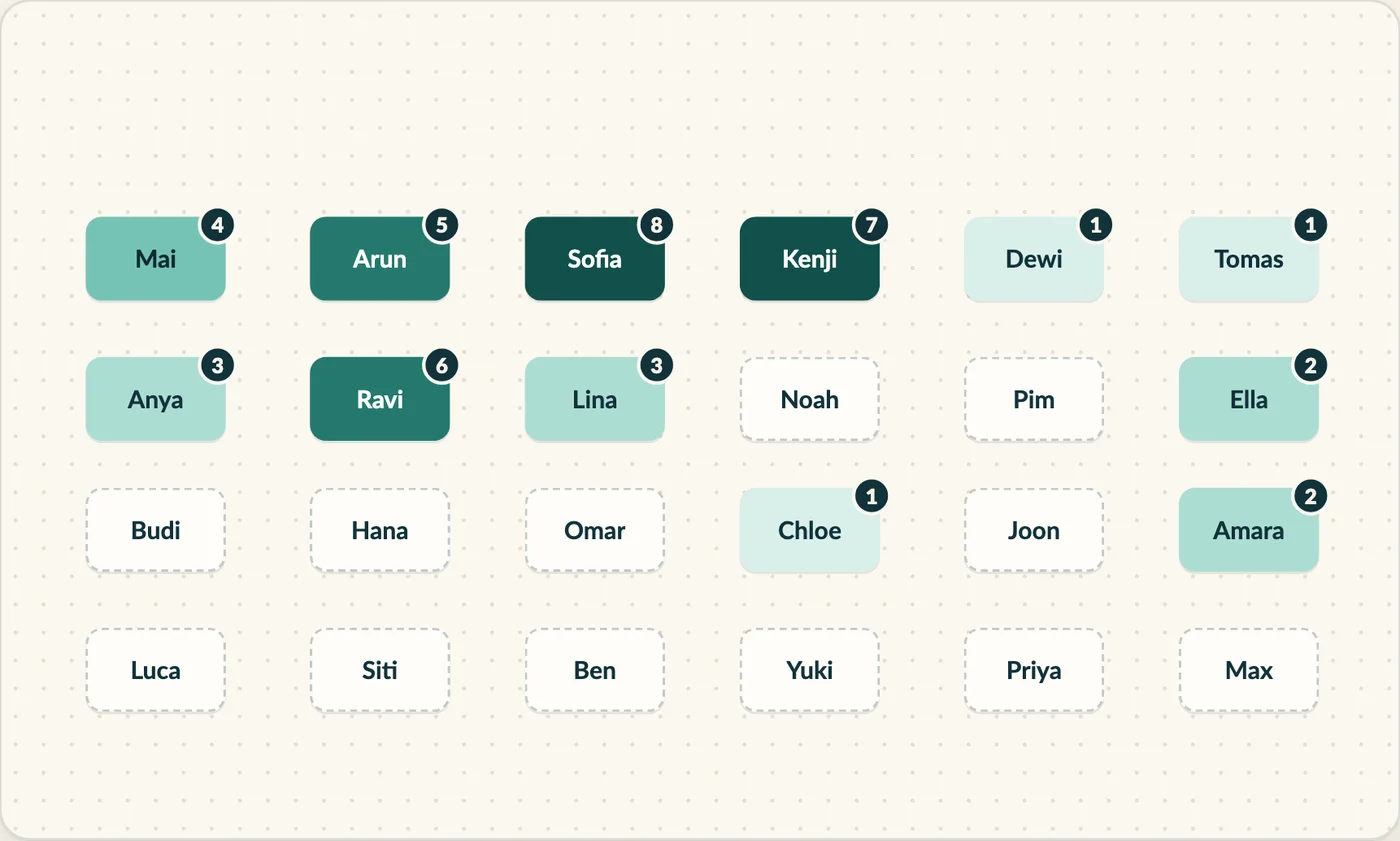
A seating plan you tap during a lesson. Each desk shades by how much that pupil has said, a list names everyone you have not called yet, and one button points to someone you have not heard from.

How it was made

Started on Sunday evening, 4 October, and grew through Monday 5 October, built with an AI coding partner. It has 280 automated tests and no runtime dependencies, and no pupil name ever leaves the device.

Why I made it

Airtime is easy to feel and hard to see. The map makes it visible, so quiet pupils get noticed and the busiest voices become clear. The idea came from a teacher in the Philippines, who also gave feedback while it was built.
QR code that opens Airtime MapSCAN TO OPEN

02 · FREE TO USE

Beyond the Elements

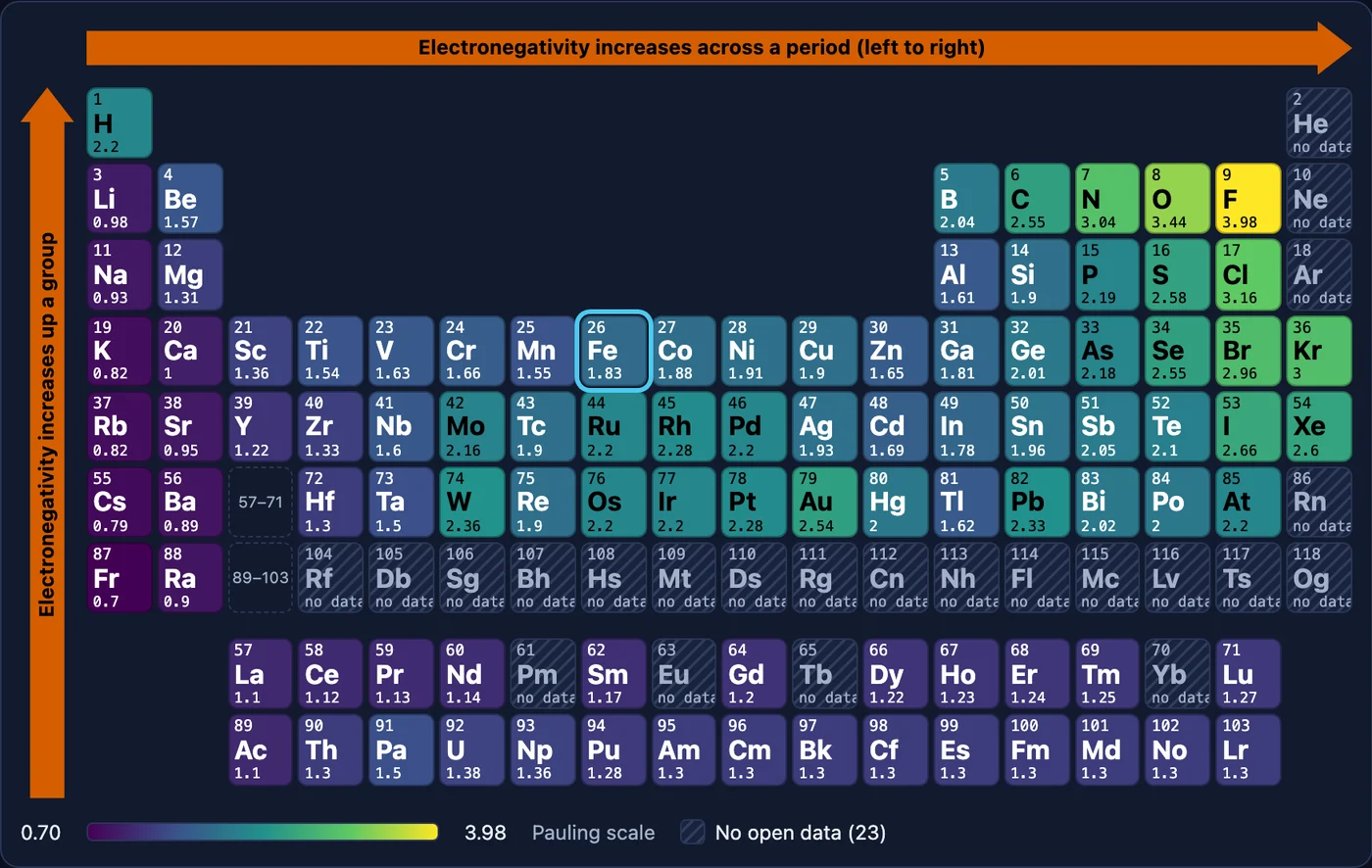
The periodic table, with lenses.

  • Free
  • No account
  • Works on a projector
  • Open data, with sources

Not what the elements are, but what they do together. Recolour the whole table by a property, such as electronegativity, density or the year of discovery, and the patterns appear. Open a dashboard for any of the 118 elements.

How it was made

Started on Monday 5 October at 11:14 and was live the same afternoon, again with an AI coding partner. The data comes from named open sources, not from memory, and rounds of accuracy checks followed in the evening.

Why I made it

A printed table is a lookup tool. I wanted something that shows why the table looks the way it does. It began as a conversation with a teacher friend about a web app that would really help teachers. Explanations drafted by AI are labelled until a person has checked them.

QR code that opens Beyond the ElementsSCAN TO OPEN

03 · FREE TO USE

Tripping

Your trip documents, on your phone, offline.

  • Free
  • No account needed
  • Works offline
  • Optional Google Drive sync

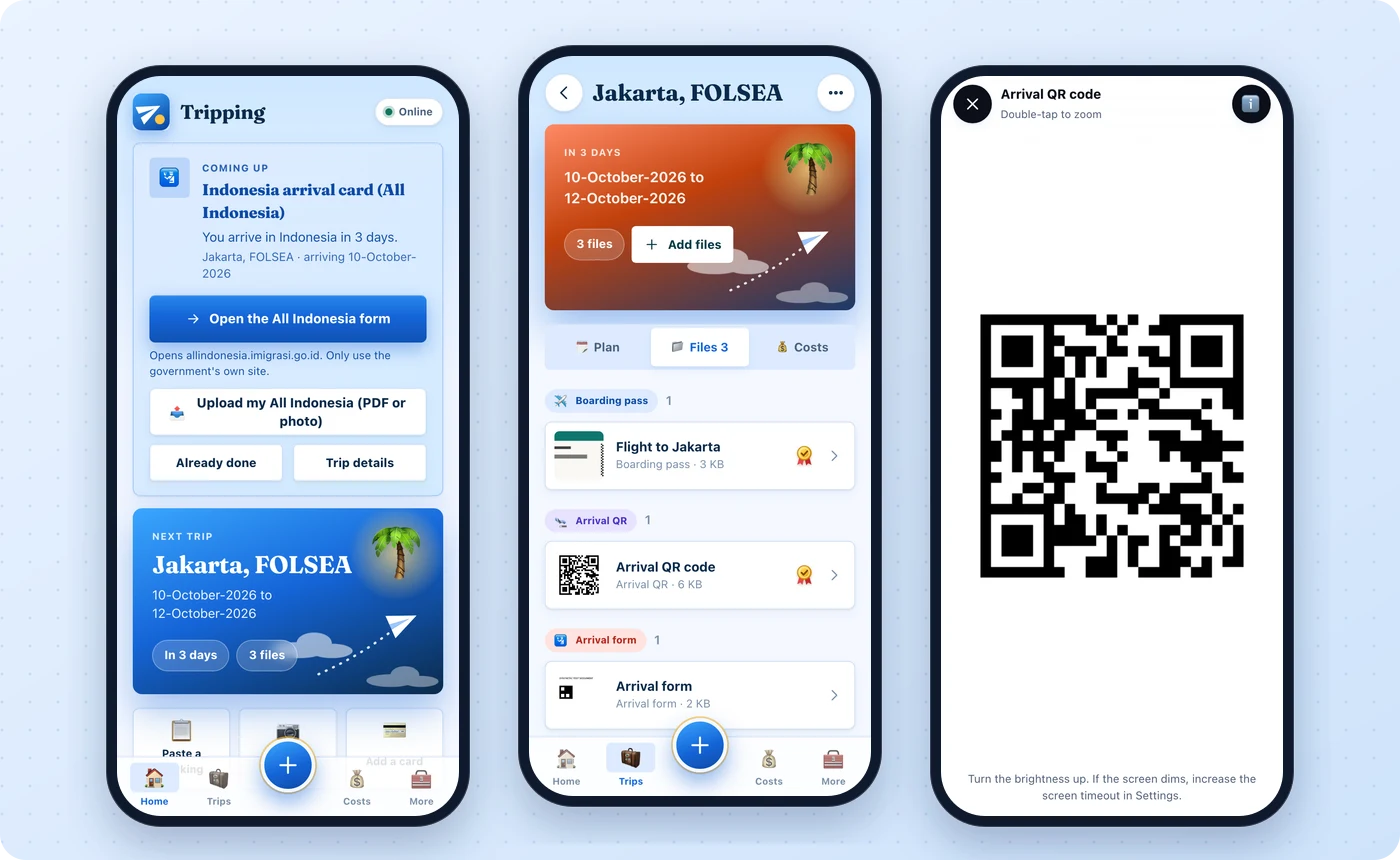
A wallet for the papers of a trip. Keep tickets, boarding passes, arrival QR codes and arrival forms on your phone, pin the ones you need in the queue, and open them full screen on a plain white background. It even reminds you about arrival forms, such as the All Indonesia one. Open it in Safari or Chrome, then add it to your Home Screen. To use it on more than one device, you can switch on sync with your own Google Drive.

How it was made

Started on Saturday 3 October and built over the following days with an AI coding partner. It has over 250 automated tests and works offline once installed. Nothing leaves your phone unless you turn on sync. Then your trips and files are encrypted on the device with a passphrase only you know, and kept in a folder in your own Google Drive, so Google sees only scrambled files. There is also a backup you can keep on your computer.

Why I made it

At the airport, in an immigration queue or on a train, the signal is often gone just when you need a boarding pass or a QR code. I wanted one place on my phone that always opens, in as few taps as possible, and keeps your papers private. It began as a personal tool for my own travel, and syncing between devices came next.

QR code that opens TrippingSCAN TO OPEN

All three came from the same loop as everything in this talk: explain, question, build, inspect, improve. Your first app can be much smaller.

Build your own →Back to the presentation ↗